For attorneys and law firms

Your clients don't read. Give them audio they'll actually listen to.

Turn filings, settlements, and case updates into plain-English audioβ€”drafted for attorney review, then shared securely. Fewer confused calls. More informed clients.

Nothing is sent to a client without attorney approval.

Drafts remain editable until approved. Secure links, retention controls, and usage visibility are supported.

Script Editor
Your motion to compel discovery was filed today.
The defendant has 30 days to respond with the requested documents.
If they don't comply, we can ask the court to intervene.
Audio Preview
Update: Motion Filed Attorney-reviewed
2:34
Approved Share link expires in 7 days

Your phone rings. It's the same question. Again.

You spent hours on that motion. Your client skimmed it, missed the point, and now they're calling in a panic about something you already explained.

How many times have you explained what "discovery" means this week? How many of those calls were billable?

Your clients have time to listen on their commute. They don't have time to decode legal documents at their desk.

You shouldn't have to be a translator. You should be their attorney.

See how it works →

The workflow: draft β†’ review β†’ approve β†’ share

Four steps from document to client understanding.

01

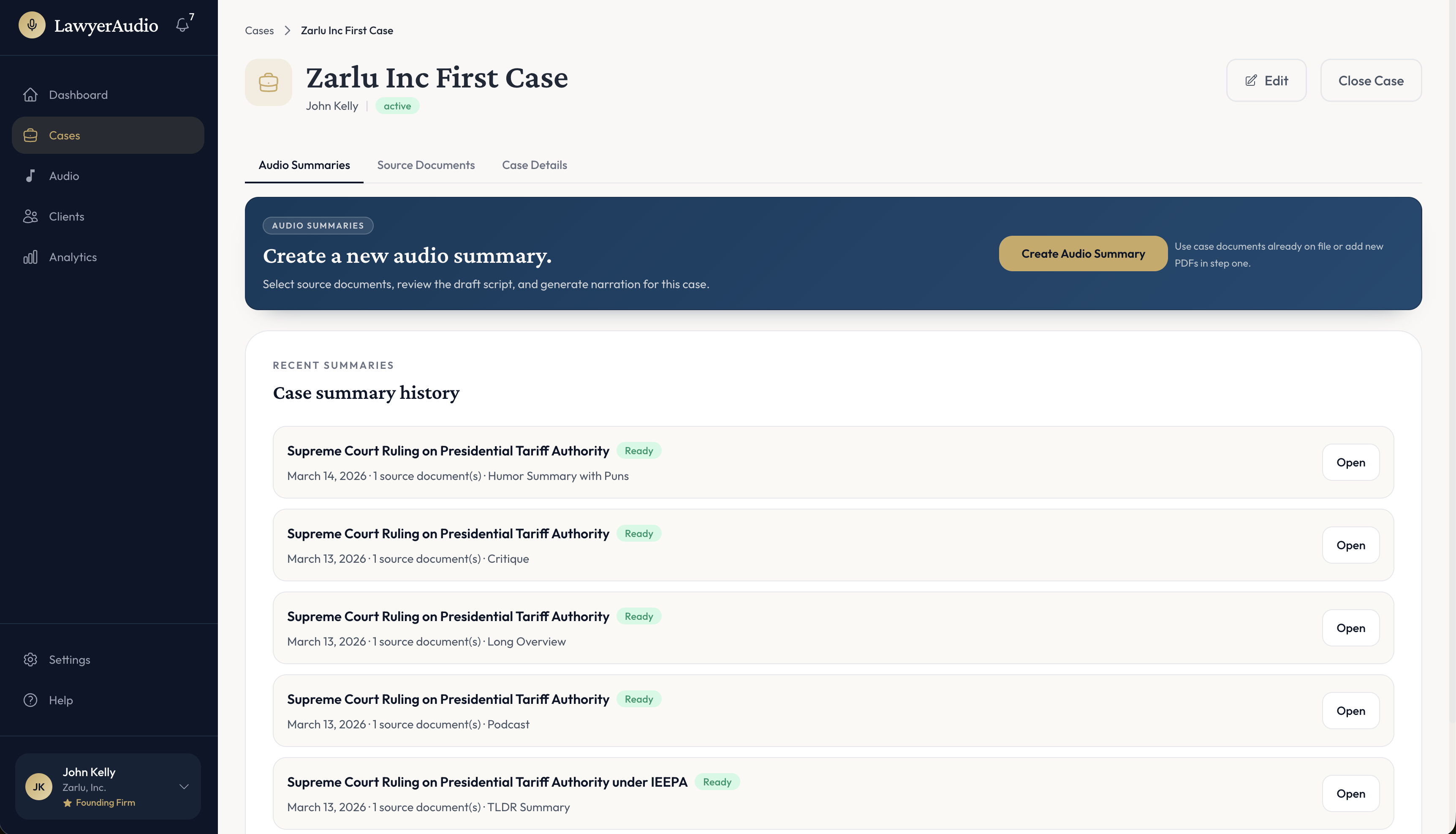
Create a case

Set up client and permissions for the case.

02

Upload a document

Add PDFs to generate an editable draft script and client-ready summary.

03

Edit & approve the script

Review uncertainty markers, refine language, and approve before client delivery.

04

Generate audio & share

Generate the client-safe audio recording and share via secure, expiring links.

Choose from 6 script styles (1 or 2 voices) Approval required before share

What the app does today

A realistic flow from initial AI draft to approved client-ready audio.

Draft Script (not yet approved)

Script Review
The motion to compel discovery was filed under Dkt. 214 on March 1, 2026.
The defendant has 30 days from notice to produce the requested documents.
Uncertain: The agreement references a confidentiality carve-out (verify wording in the exhibit). Needs review
Editable Draft Awaiting approval

Approved Output (ready to share)

Audio + Client Share
Update: Discovery Motion Attorney-reviewed
1:42

Your motion to compel was filed today. You now have 30 days to provide the requested production. No action is required until you receive the court response.

Share link Private link active for 14 days

Clients receive this approved audio version only after you approve the script and generate audio.

What you get

A system designed for attorney control, not automation for its own sake. Before: repeated calls, confused clients. After: one audio update, lasting clarity.

Clarity clients can follow

  • Plain-English structure clients can follow from start to finish
  • 6 script styles: TLDR, Podcast, Long Overview, Critique, Critical Debate, Humor
  • Audio clients can replay anytime to reduce repeat calls

You stay in control

  • Draft script first (nothing auto-sends)
  • Attorney edit + approve
  • Approval required before generating and sharing client audio

Grounded in the source

  • Select source documents for each case summary
  • Review original documents during attorney script review
  • "Uncertain" flagging when confidence is low

Built for secure sharing + records

  • Expiring links + access controls
  • Listen receipt / activity log
  • Exportable audit record

Why audio explanations work better

Compare traditional client communication to LawyerAudio.

Traditional Communication
With LawyerAudio
πŸ“ž Phone calls: time-consuming, easily forgotten
πŸ” Audio clients can replay anytime
πŸ“„ Letters: dense, often unread
🎧 Clear, spoken explanations
πŸ“§ Email: buried in inbox, no engagement tracking
βœ“ Secure links with listen receipts
πŸ”„ Repeated explanations (often non-billable)
πŸ“‹ Create once, share consistently
🀷 "Did you get my email?" uncertainty
πŸ“Š Usage visibility for shared links and listening activity

The difference: You explain once, clients can review the same audio again, and your team has usage visibility.

Built for how attorneys actually work

Attorney review required

Nothing reaches clients without your explicit approval. No auto-sends, ever.

Grounded in source documents

Drafts stay tied to uploaded case documents, with uncertainty markers shown before any share action.

Secure by design

Expiring links, access controls, listen activity logs, and exportable audit records.

You control the message

Edit every word before it goes out. The AI drafts; you decide what clients hear.

A client experience that reduces confusion

What your clients see when they open your secure audio link.

Clients can listen anywhere: commute, waiting room, home
Key points summarized so nothing gets missed
Questions route to you, not an AI chatbot
Fewer confused calls and emails

Use cases

Client update after a filing

Send an audio recap the same day: what was filed, why, what happens next.

Explain a specific document

Discovery request, medical record, police report, motion: summarized into an attorney-reviewed audio update.

Internal driving brief

Listen to a case recap before a hearing while in transit.

Ready to stop repeating yourself?

Sign in or create your account to start sending attorney-reviewed audio updates.